 wpShadow
WordPress plugin
Website checks, inside your WordPress dashboard
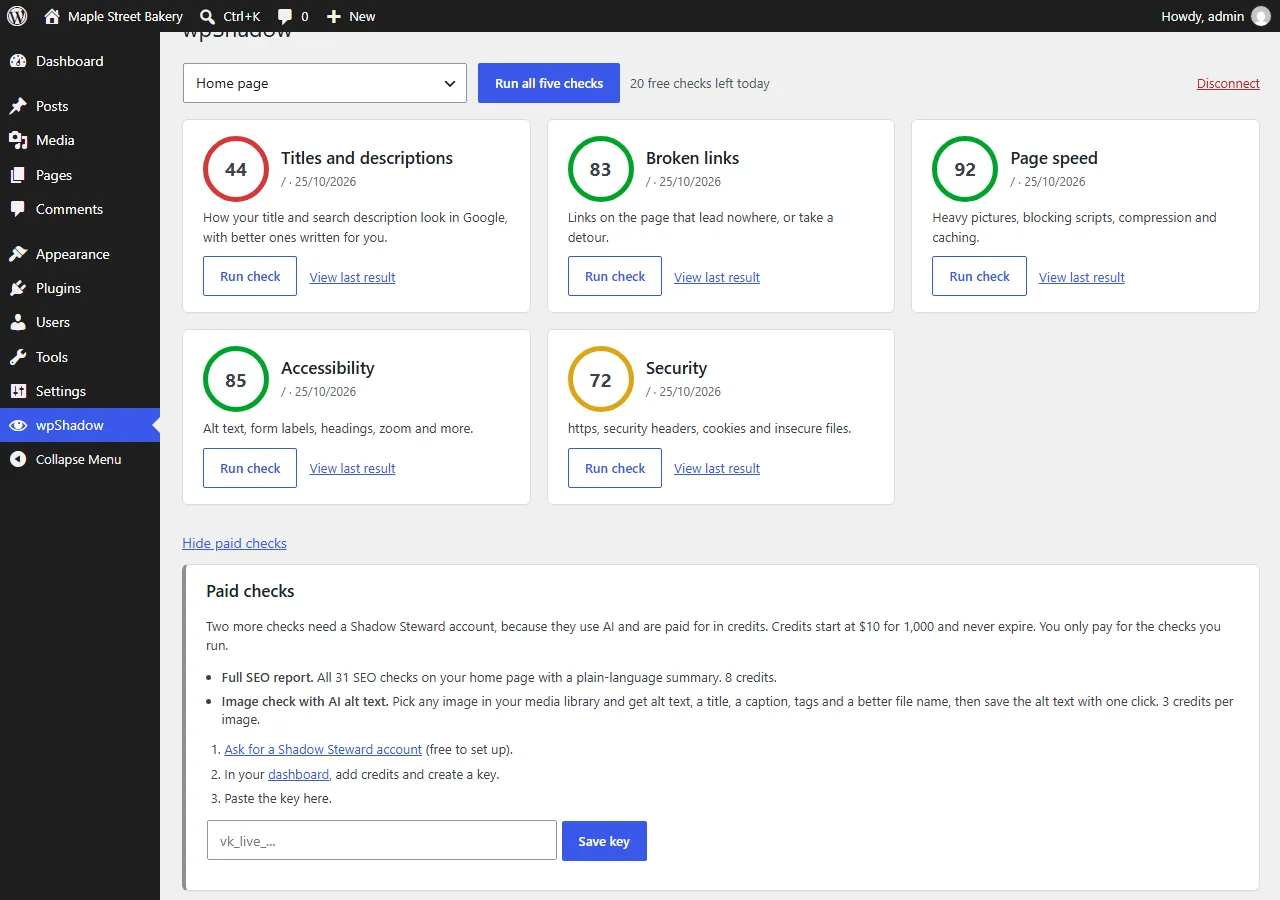
Pick a page, press Run, and read what is wrong in plain language. Five checks are free, with no account. Paid checks are there only if you want them.
Download the pluginSee the five checks
Free. Version 0.6298. Needs WordPress 6.0 or newer and a public https site.
See it in 25 seconds
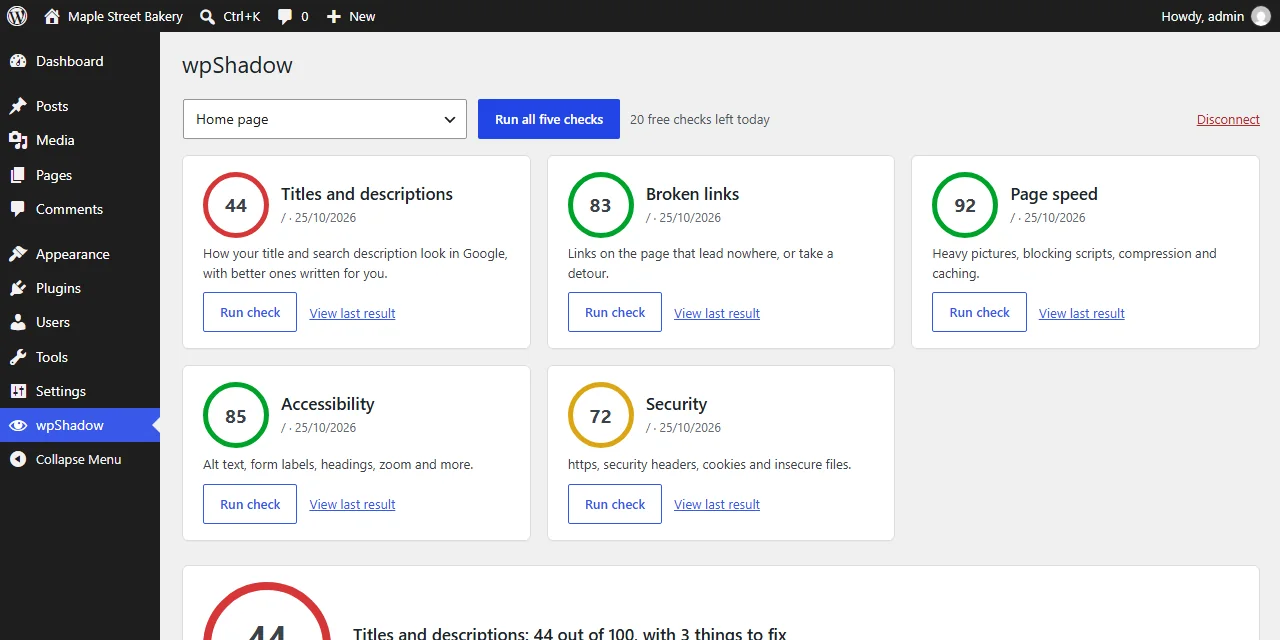
The sixth check reads your own settings and database and sends nothing. This is a run on a demo site.
Read the steps in the video
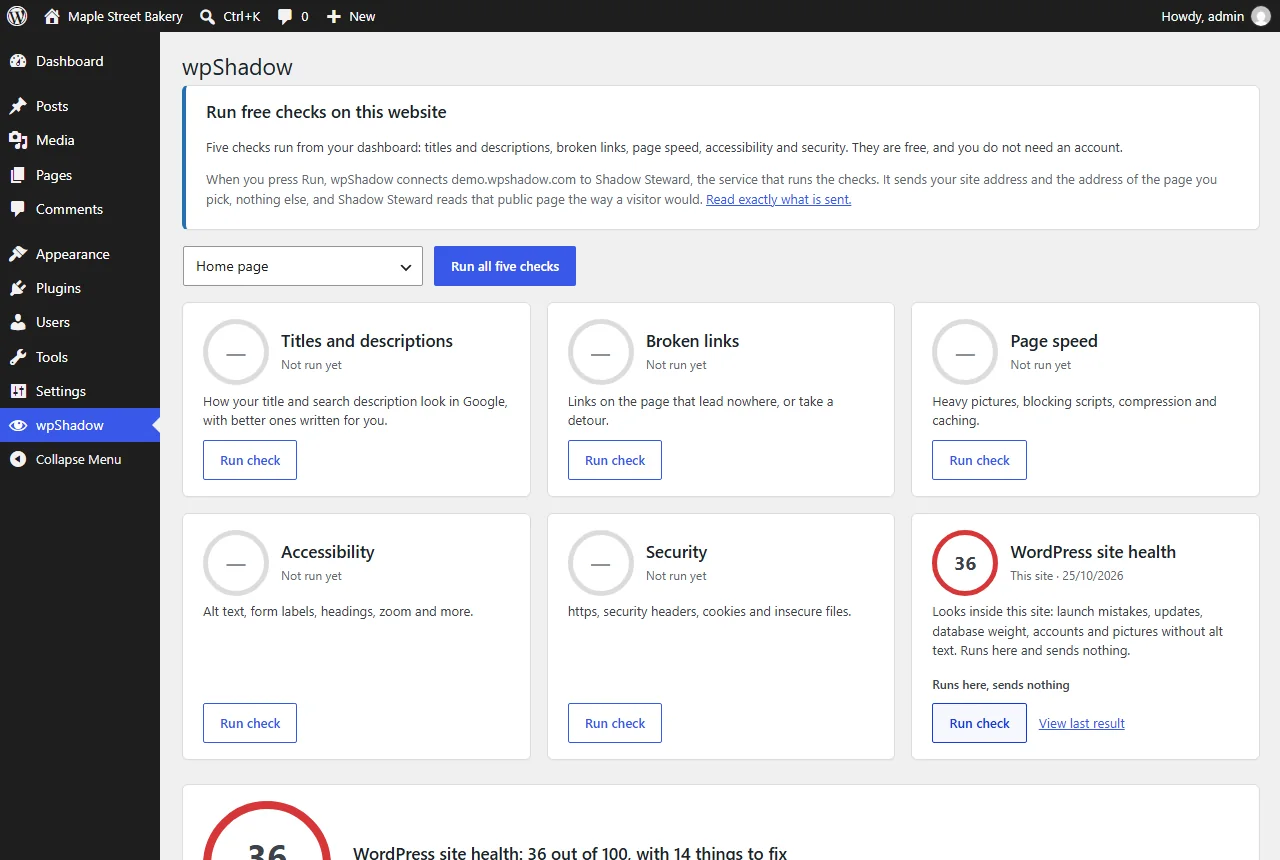
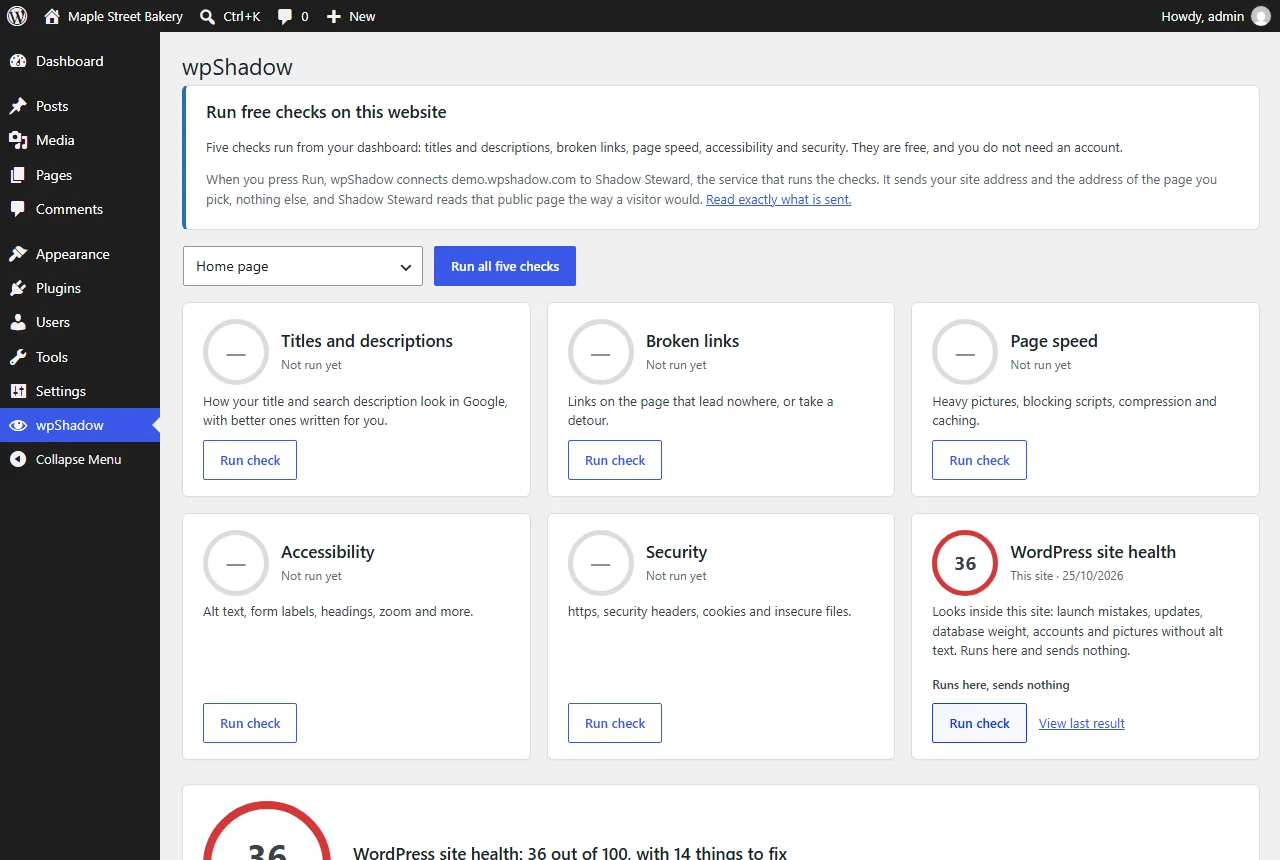
- The wpShadow dashboard shows five free checks and WordPress site health.
- Pressing Run check on site health reads the site's own settings and database.
- The result is a score, and the problems are grouped by what to fix first, with what to do about each.
Five free checks, and one that runs inside WordPress
Run them on your home page or on any published page or post. Results stay in your dashboard.

Titles and descriptions
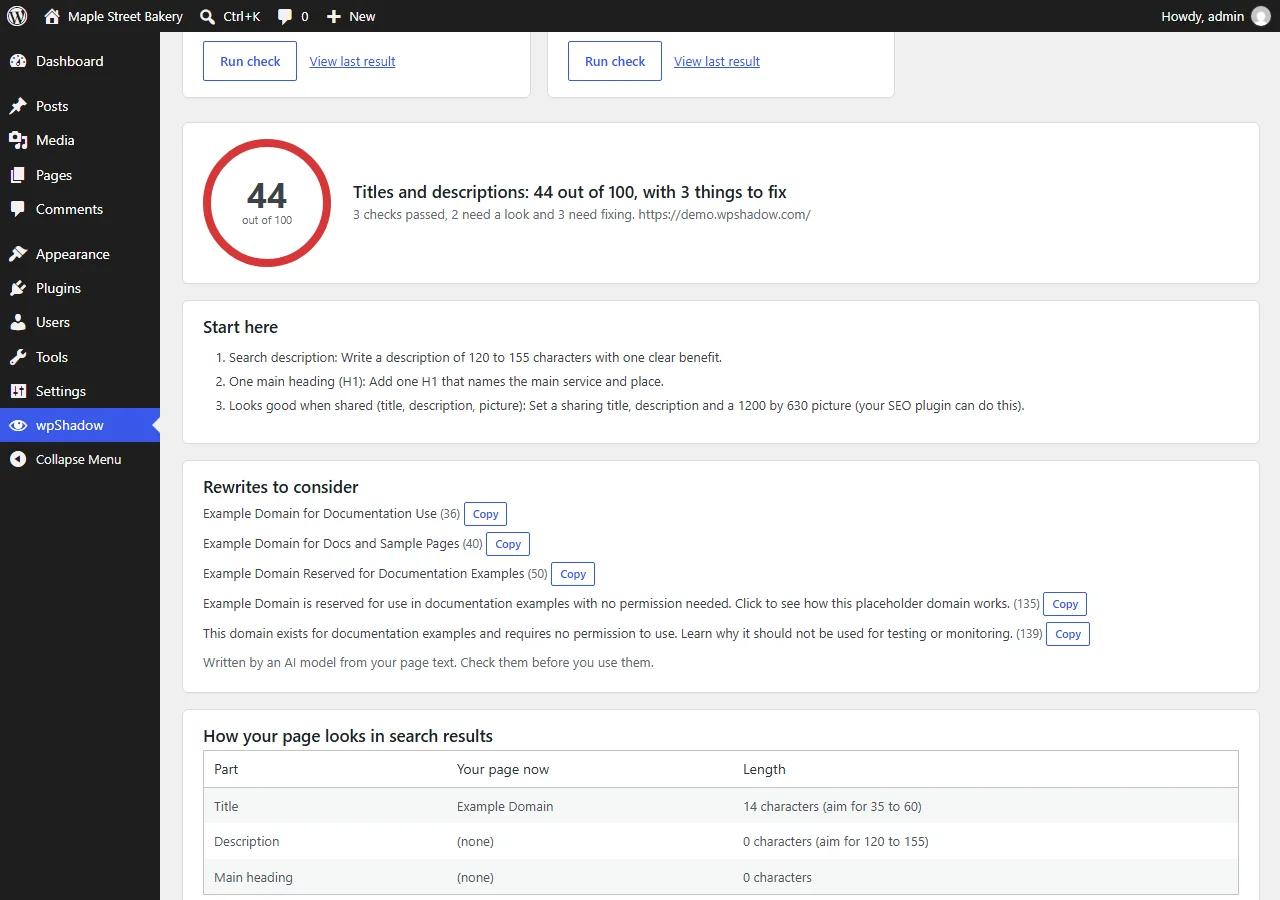
How your title and search description look in Google, what to fix, and three better titles and two better descriptions written for you.

Broken links
Up to 60 links on a page, opened the way a visitor would. Dead links, detours and links that refuse automatic visits are listed.

Page speed
Server response, page weight, big pictures, blocking scripts, compression, caching and outside services.

Accessibility
Alt text, link and button names, form labels, headings, zoom and page regions, with examples of what to fix.

Security
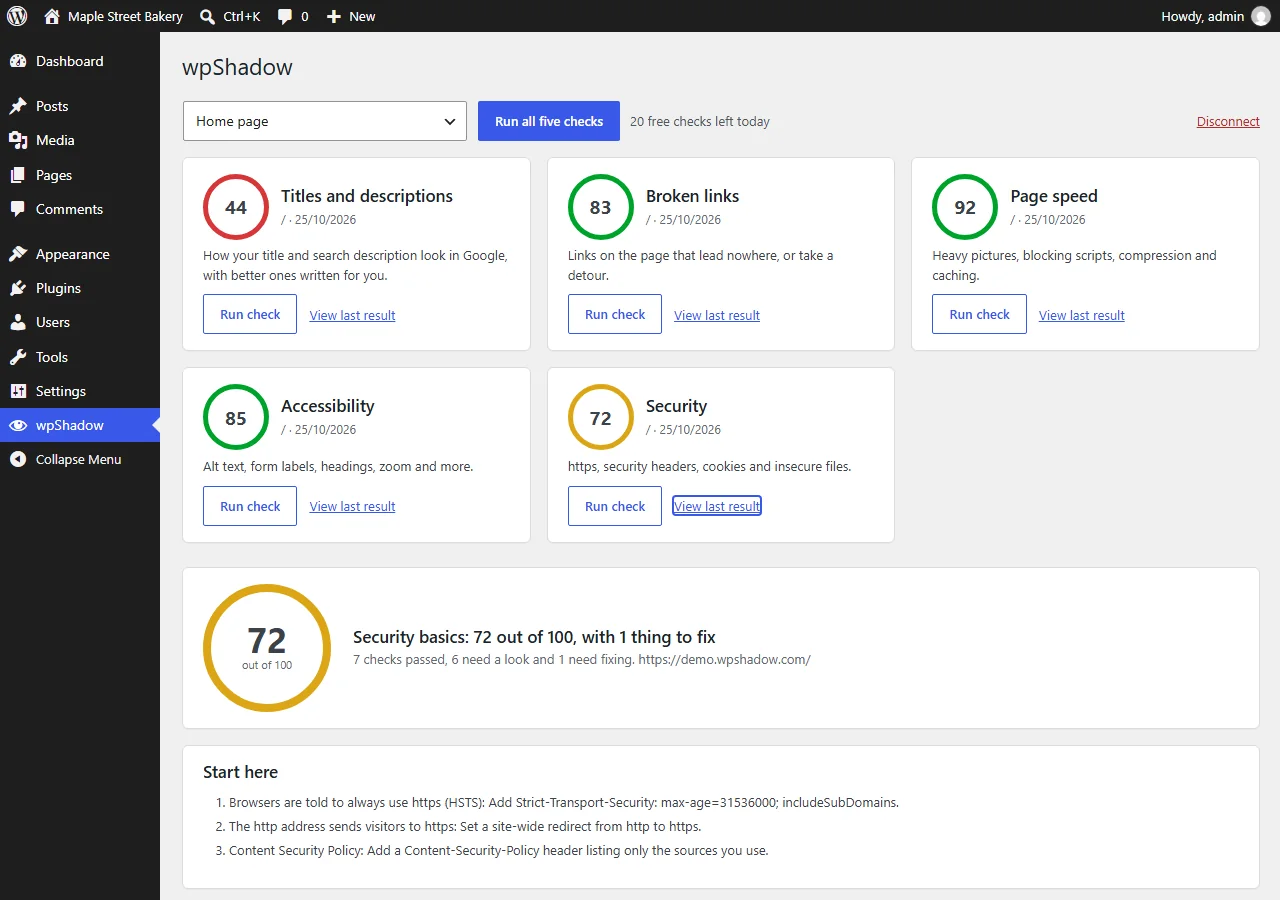
https, security headers, cookie flags, exposed files and software version disclosure. It only reads what your site already tells every visitor.
It also looks inside your WordPress site
The five checks read your pages from the outside. The sixth, WordPress site health, reads your site's own settings and database from the inside. It runs in the plugin, sends nothing anywhere and changes nothing.

Launch mistakes
"Discourage search engines" left on, plain permalinks, an http address, debug errors showing, the code editor left open, pictures loading over http.

Updates and versions
A PHP version that no longer gets security fixes, a WordPress update waiting, plugins and themes that need updating, and switched-off plugins still installed.
Database weight
The settings loaded on every page (the most common hidden cause of a slow site), with the biggest ones named, plus old temporary data, revisions and late scheduled tasks.

Backups, email and caching
A backup plugin that has not backed up for two weeks, no SPF or DMARC record for your domain, no mail plugin, two caching plugins fighting, or none at all.
Comments, links and WooCommerce
Open comments with no spam protection, links in posts to unpublished pages or missing pictures, and shop pages, checkout and cache settings for a WooCommerce store.
Accounts and exposure
A user named "admin", too many administrators, open sign-up with a powerful role, XML-RPC left on, and usernames visible to anyone.
Pictures with no alt text are listed with a thumbnail, and each has a button that opens the optional AI alt text check, so you can fix the ones used on your pages first.
How it works
Install and open it
Upload the plugin, activate it, and open wpShadow in your admin menu.
Pick a page and press Run
Choose your home page or any published page or post. Nothing is sent until you press Run.
Read what to fix
Each result is in plain language, with a score and the first thing to change. It never changes your site.
The first time you press Run, wpShadow connects your site to Shadow Steward, which runs the checks. Your site proves it is yours by showing a one-time code, so the free checks run only on your own address.
Paid checks, only if you want them
Two more checks use AI, so they are paid for in credits. You will not be asked about them unless you open "Want more? Add paid checks". Credits start at US$10 for 1,000 and never expire. You pay only for the checks you run.

Full SEO report 8 credits (about US$0.08)
All 31 SEO checks on your home page, with a plain-language summary of what matters most.

Image check with AI alt text 3 credits (about US$0.03)
Choose an image in your media library and get alt text, a title, a caption, tags and a better file name. Save the alt text on the image with one click.
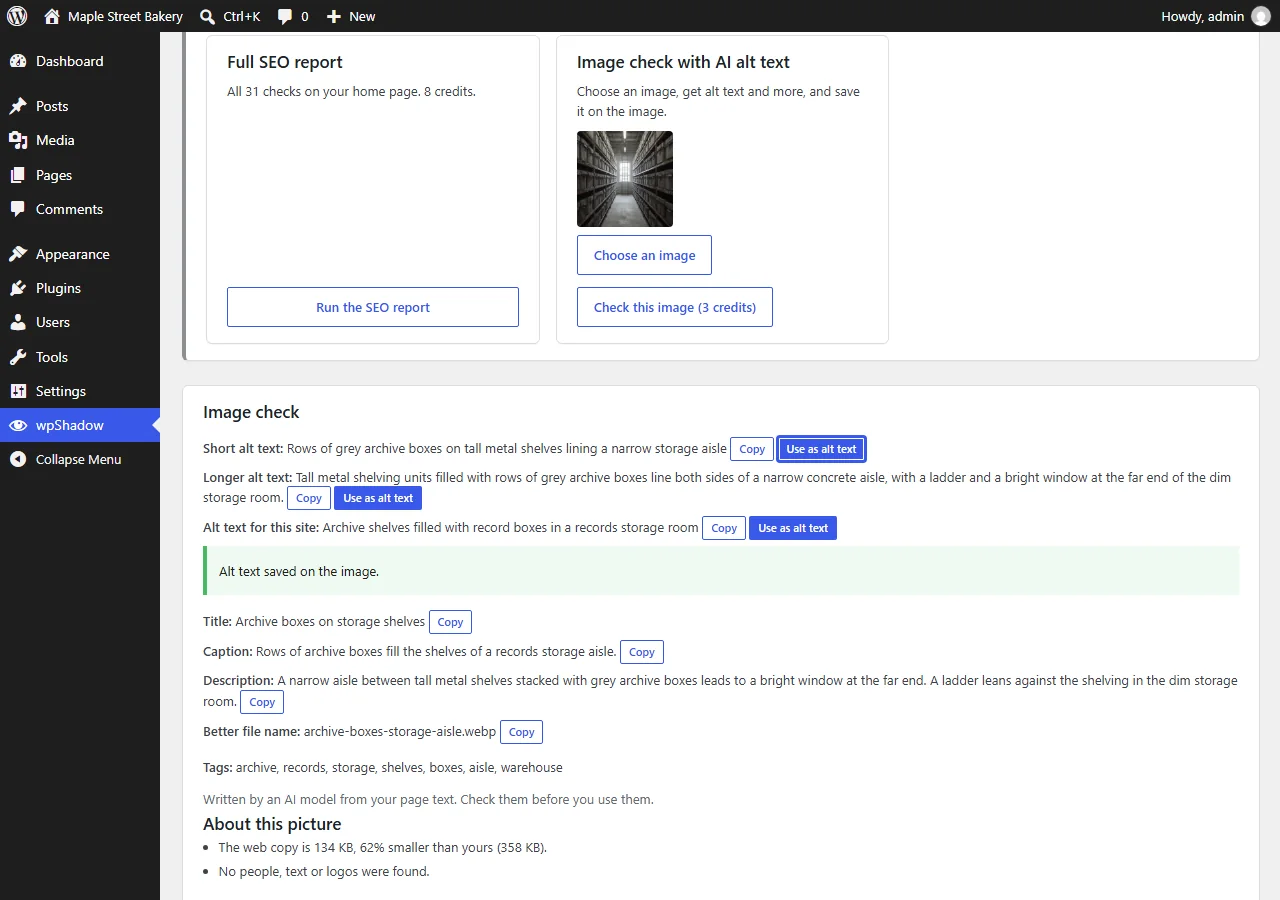
Paid checks need a free Shadow Steward account and a key from its dashboard. AI-written text is always labelled, so check it before you use it.
What wpShadow does not do
- It does not change your site. It reports, and you decide.
- It does not run in the background, add anything to your public pages, or show ads.
- It does not send anything when you install it. Checks run only when you press Run.
- It does not keep your pages or results on its servers.
Questions
What does the WordPress site health check send?
Nothing goes to Shadow Steward. It runs inside the plugin against your own settings and database. It asks your site for its own address to see whether usernames are visible, and looks up the public email records (SPF and DMARC) of your domain. A separate link, which asks you to confirm first, also asks WordPress.org about each active plugin to find ones that were closed or not updated for two years. It does not change anything.
Do I need an account?
Not for the five free checks. A Shadow Steward account is only needed for the two optional paid checks, and only if you decide to add them.
Is there a limit on the free checks?
Yes. Free checks are rate limited to protect the quality of the service for everyone. Each site gets 30 free checks a day, and each check can run 10 times an hour. A site that has only just connected starts with 5 a day for its first two days. When the shared daily allowance is nearly used, sites connected for under a day may be asked to wait. The limits can change, and the dashboard always shows how many are left.
Can I check other people's websites?
No. The free checks run only on the website you connected. The connection is confirmed by your site itself, so nobody else can point the checks at it or use your connection for another address.
Does it change my site?
No. wpShadow reports and you decide. The one exception is a button you press yourself: saving AI-written alt text on an image you chose, in the optional image check.
Why can't it run on my local or staging site?
The checks are run from the internet, so they can only see public https websites.
What is sent, and to whom?
Nothing is sent when you install or activate it. When you press Run the first time, your site address and the plugin and WordPress versions are sent to Shadow Steward, which runs the checks. After that, each check sends the address of the page you chose. Pages and results are not stored. The privacy page has the full list.
What happens if I delete the plugin?
It tells Shadow Steward to forget your site and removes its own settings.
Something else? Get in touch.